Warning: Use of undefined constant flag - assumed 'flag' (this will throw an Error in a future version of PHP) in /home/users/1/pranktone/web/pranktone.net/blog/wp/wp-content/themes/prag/functions.php on line 645

Warning: Use of undefined constant registered - assumed 'registered' (this will throw an Error in a future version of PHP) in /home/users/1/pranktone/web/pranktone.net/blog/wp/wp-content/themes/prag/functions.php on line 646

Warning: Use of undefined constant nonce - assumed 'nonce' (this will throw an Error in a future version of PHP) in /home/users/1/pranktone/web/pranktone.net/blog/wp/wp-content/themes/prag/functions.php on line 647

Warning: Use of undefined constant category - assumed 'category' (this will throw an Error in a future version of PHP) in /home/users/1/pranktone/web/pranktone.net/blog/wp/wp-content/themes/prag/functions.php on line 648

Warning: Use of undefined constant tag - assumed 'tag' (this will throw an Error in a future version of PHP) in /home/users/1/pranktone/web/pranktone.net/blog/wp/wp-content/themes/prag/functions.php on line 649

Warning: Use of undefined constant search - assumed 'search' (this will throw an Error in a future version of PHP) in /home/users/1/pranktone/web/pranktone.net/blog/wp/wp-content/themes/prag/functions.php on line 650

Warning: Use of undefined constant author - assumed 'author' (this will throw an Error in a future version of PHP) in /home/users/1/pranktone/web/pranktone.net/blog/wp/wp-content/themes/prag/functions.php on line 651

Warning: Use of undefined constant is_single - assumed 'is_single' (this will throw an Error in a future version of PHP) in /home/users/1/pranktone/web/pranktone.net/blog/wp/wp-content/themes/prag/functions.php on line 652
Mac

[Mac]Skitchで、セルフタイマーキャプチャ

by pranktone
使い方

この記事は2012年3月5日に書かれたもので、内容が古く現在では推奨されていない方法の可能性もありますのでご注意ください。

Skitch使いはじめのペーペーです。
使い方がいまいちわかってません。

ただ、スクリーンショットが
Macのデフォルトより撮りやすいことと
ちょっとした編集とメモ書きなら、
かなり便利なことがわかりました。

ただ、プルダウンとか、
コンテキストメニュー?を
キャプチャしたいときどうしていいかわからず。

調べてみたら、思いの外簡単にできたので、メモ。

Skitchを起動して、Snapをクリック!
撮りたいウィンドウなり狙って、
Shift を押しながらDrag & Drop!
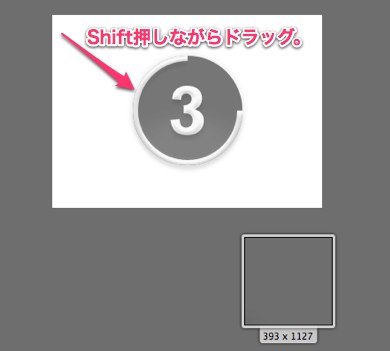
セルフタイマー

セルフタイマー

セルフタイマー

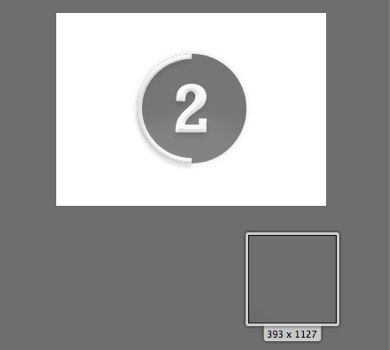
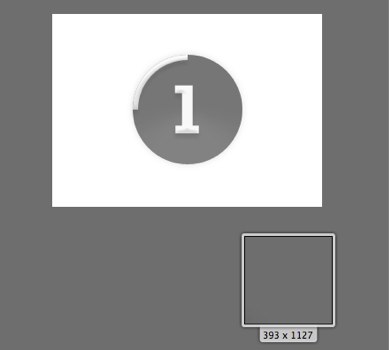
3、2、1、パシャリっ!

て、便利だな。

ちなみに、Shift 押しながら
対象ウィンドウクリックでも
セルフタイマーは動作しました。
ただ、プルダウンはシャッターのタイミングで
消えてしまって、意味ないけども。。。

なんか使い出したら、かなり便利そうだね、Skitch!
ちょっと、他の使い方も勉強するぞ!って。

Skitch 1.0.7 (無料)App
カテゴリ: 仕事効率化, グラフィック&デザイン
販売元: Skitch – Skitch Inc(サイズ: 5.0 MB)
全てのバージョンの評価: (58件の評価)

feedly

コメント

まだ、コメントはありません。

トラックバックURL

https://blog.pranktone.net/gadget/mac/20120305212925.html/trackback
ありきたりな日常と
それとない非日常を
紡ぐ記録
SKIP